Compliance Management · Compliance Notifications
Know when something needs attention.
In-app alerts for new findings, overdue remediation, evidence that is expiring or rejected, and changes in your readiness score.
The problem
Readiness slips quietly
Nothing announces that evidence has expired or that a remediation date has passed. The first sign is usually the next review.
- Overdue remediation is noticed only when someone opens the list.
- Evidence expires without its owner being told.
- A fall in the score goes unremarked between reporting cycles.
What it does
Compliance Notifications in ControlMap
ControlMap raises an alert in the product when an event needs attention: a critical or high finding, a completed assessment, a drop in score, a synchronisation with a connected source, remediation that is overdue, evidence that is expiring or has been rejected, or a mapping that needs review.
Alerts collect in an inbox that can be filtered by severity and type, and each links to the page it concerns. Which alerts are raised is set in the workspace settings. The audit log remains the complete history; notifications are the short list of what to act on.
Key capabilities
What you can do with it
Alert inbox
One list of what needs attention, with unread items marked.
Severity filters
Show only critical or high alerts.
Type filters
Assessment, synchronisation, remediation, evidence and mapping alerts.
Linked to the work
Each alert opens the page it concerns, filtered to the items that raised it.
Configurable
Choose in settings which events raise an alert.
Separate from the audit log
Alerts are for action. The log is the permanent record.
In the product
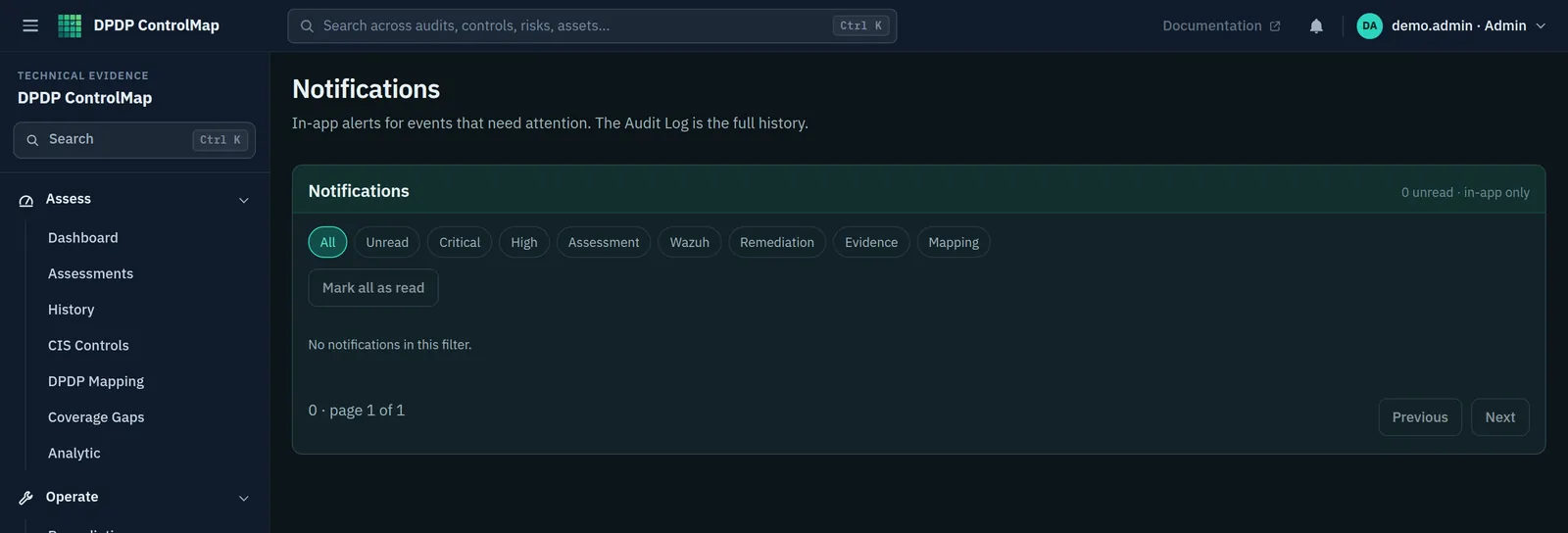
The notifications inbox
Shown here in a workspace with no alerts, as it appears before any have been raised.
- Filters for unread, critical and high
- Filters by type: assessment, Wazuh, remediation, evidence and mapping
- An empty inbox until an event raises an alert
Typical workflow
How teams use it
A common sequence. The product does not force the order, and you can return to the earlier steps as you learn more.
Choose what to be told
Set which events raise alerts for your workspace.
Check the inbox
Review unread alerts, most severe first.
Open the page
Go from the alert to the findings, evidence or remediation it concerns.
Act and clear
Resolve the item and mark the alert read.
DPDP governance
How it supports your obligations
Notifications are an operational aid. They are not the intimations the Act requires an organisation to give to Data Principals or the Board.
A Data Fiduciary is to implement appropriate technical and organisational measures to ensure effective observance of the Act and Rules.
Alerts for overdue remediation and expiring evidence help keep those measures in operation between reviews.
Reasonable security safeguards include visibility on the accessing of personal data through appropriate logs, monitoring and review.
Alerts on new critical and high technical findings prompt review of the underlying controls.
Scope
What stays with you
We would rather you knew the boundaries before a demo than discovered them after.
- Alerts appear inside ControlMap only. The product does not send email, SMS or chat messages today.
- Notifications are for your team. They do not notify Data Principals or the Data Protection Board of anything.
- Most alert types today relate to technical assessments, evidence and remediation.
Questions
Compliance Notifications: common questions
Can alerts be sent by email?
Not today. Alerts are delivered in the product.
Does ControlMap send breach notifications?
No. Intimating a personal data breach to affected Data Principals and to the Board is done by your organisation through its own channels. See Breach Management for how ControlMap tracks readiness and records incidents.
Can we choose which alerts are raised?
Yes. Settings has a switch for each group: critical findings, high findings, completed assessments, source connection and synchronisation, remediation that is overdue or assigned, evidence requiring review and mappings requiring review.
See Compliance Notifications in a demo.
We will show the module with the product's sample data and answer what it does and does not cover.