Compliance Management · Policy Management
A policy register with owners, versions and review dates.
Know which policies exist, who owns each one, which version is approved, and which are due for review.
The problem
Policies exist. Nobody knows which are current.
Policies are written for an audit, approved once, and stored in a folder. Two years later nobody is sure which version applies or who should update it.
- Several versions of the same policy circulate.
- The owner named in the document has left the organisation.
- Review dates pass unnoticed.
- There is no link between a policy and the obligation it is meant to address.
What it does
Policy Management in ControlMap
The policy register lists each policy with its category, version, owner, approver, effective date and next review date, the DPDP provisions it relates to, and where the document is kept. A policy moves from draft to in review to approved, and to retired when it is replaced.
The register shows how many policies are in each state and which reviews are due. It is a record of your policy library. The documents themselves stay in your document system, and the register does not feed readiness scores.
Key capabilities
What you can do with it
One list of policies
Title, category, version and owner for each, in a single table.
Approval record
Who approved the policy and the date it took effect.
Review schedule
A next-review date for each policy, with overdue reviews flagged.
DPDP references
Note the sections and rules a policy supports, such as Section 8(5) and Rule 6.
Status
Draft, in review, approved and retired, with a count of each.
Document location
A link or reference to where the approved document is held.
In the product
The policy register
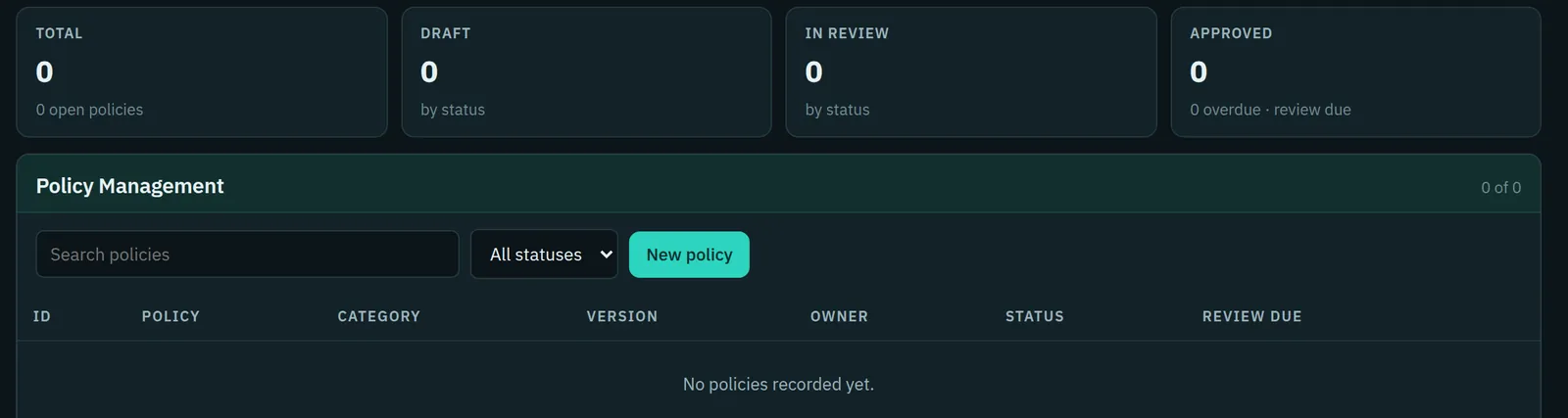
Shown here before any policy has been added, as it appears in a new workspace.
- Counters for total, draft, in review and approved policies
- Columns for policy, category, version, owner, status and review due
- A new workspace starts empty; the register holds only what you enter
Typical workflow
How teams use it
A common sequence. The product does not force the order, and you can return to the earlier steps as you learn more.
List existing policies
Enter every policy you have, including the ones you suspect are out of date.
Name an owner
Each policy needs a person or role responsible for it.
Record approval
Add the approver, the version and the effective date.
Set review dates
Decide the review cycle and enter the next date.
Retire what is replaced
Mark superseded policies retired so the register shows what applies now.
DPDP governance
How it supports your obligations
The Act does not list the policies an organisation must have. Policies are among the organisational measures it expects to be in place.
A Data Fiduciary is to implement appropriate technical and organisational measures to ensure effective observance of the Act and Rules.
A maintained policy library, with owners and reviews, is evidence of organisational measures.
Reasonable security safeguards include appropriate technical and organisational measures to ensure effective observance of security safeguards.
Security policies can be referenced to this rule and reviewed on a schedule.
Scope
What stays with you
We would rather you knew the boundaries before a demo than discovered them after.
- The register does not store, edit or distribute policy documents.
- It has no approval routing or staff attestation. It records the outcome of your approval process.
- Policy records do not affect readiness scores.
Questions
Policy Management: common questions
Does ControlMap provide policy templates?
No. The register tracks the policies you write. Policy wording should come from your own legal and security advisers.
Can staff acknowledge policies in the product?
Not today. The register records ownership, approval and review. Acknowledgement is handled in your HR or document system.
Which policies should we have?
That depends on your processing. Organisations commonly maintain policies for privacy, information security, retention, incident response and vendors, which are the categories the register offers.
See Policy Management in a demo.
We will show the module with the product's sample data and answer what it does and does not cover.